
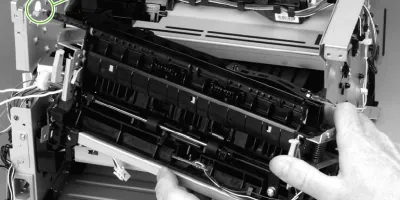
Easy to follow installation guide for HPM 2727 HPP 2015 RM1-4247-000 Fuser Assembly (110V). Several parts must be removed before you can remove the fuser. The following parts are included in this section about removing the fuser:
- Fan
- Duplex-drive gears/face-down gears
- Duplex solenoid
- Fuser
This instruction is about removing the fuser.
Compatible models
Detailed Step by Step Instruction
Remove all covers.
Remove the fan.
Remove the duplex-drive gears or face-down gears.
Remove the formatter.
On the right side of the printer, press the tabs on two gears (1) to release the gears, and thenslide the gears off the shafts.
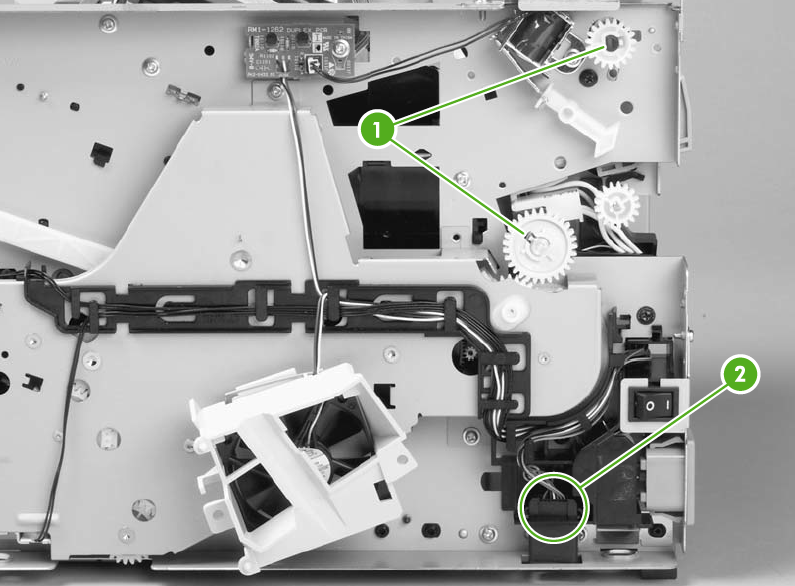
Disconnect one cable (2) on the right side of the printer.
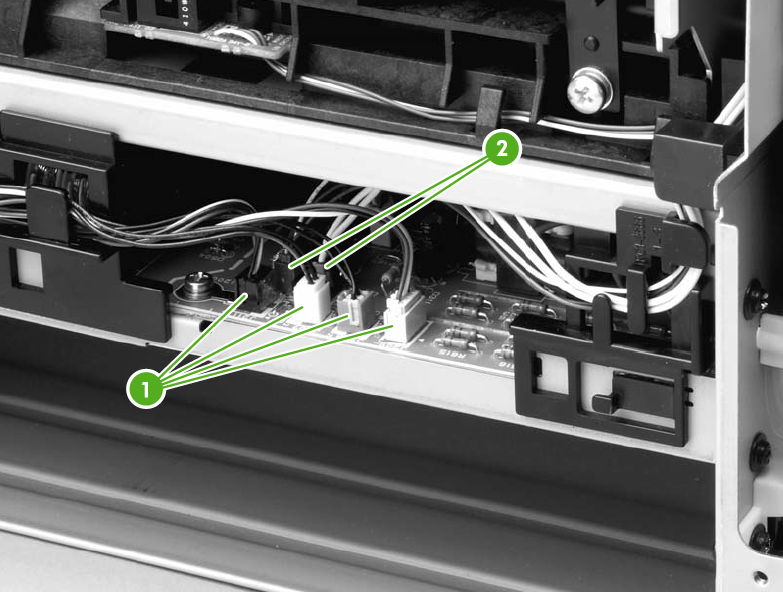
Disconnect four cables (1) from the ECU, and then disconnect two more cables (2) that werebehind the first set.
Pull the tab on the cable holder (1) at the left side of the printer and slide it toward the center torelease it from the frame, and then unroute the cables.
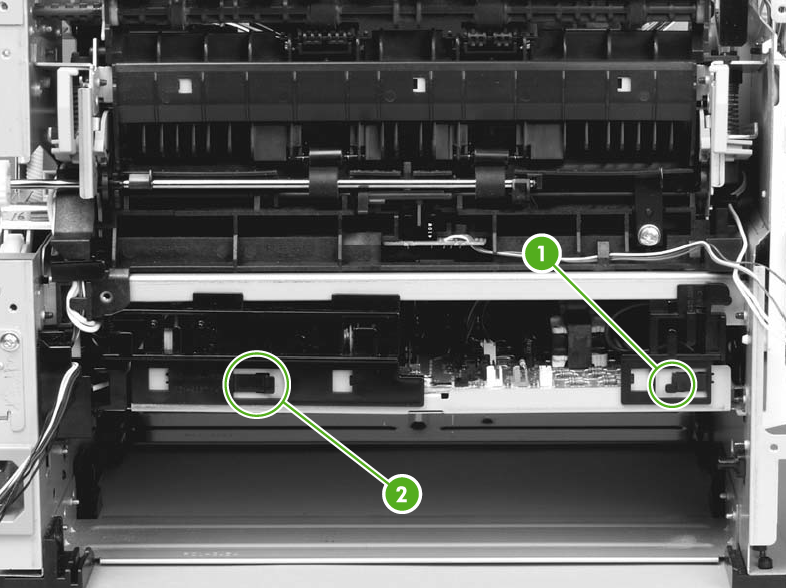
Pull the tab on the cable holder (2) and slide it toward the center to release it from the frame,and then unroute the cables.
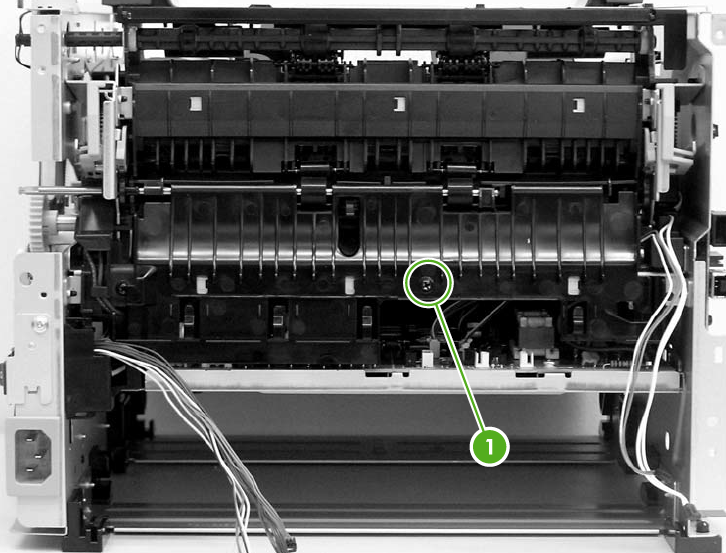
Remove one screw (1) from the fuser cover, and then slide the fuser cover to the right andremove it.
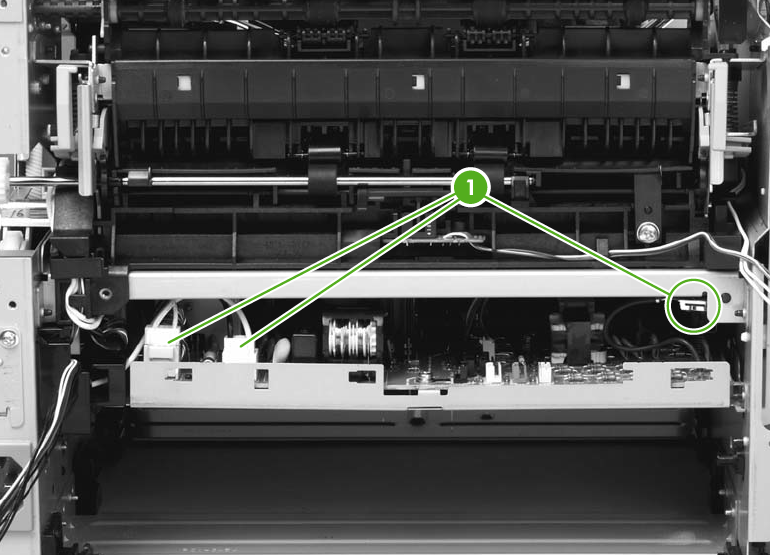
Disconnect three cables (1).
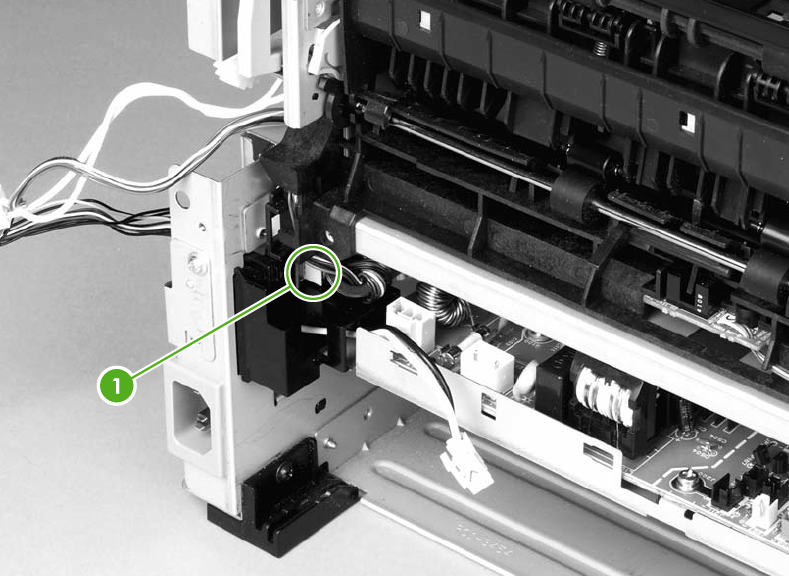
Disconnect one cable (1), and then unroute the cable from the cable guide.
Before you proceed to step 13, make sure that all cables disconnected inprevious steps are free from any cable guides and cable holders.
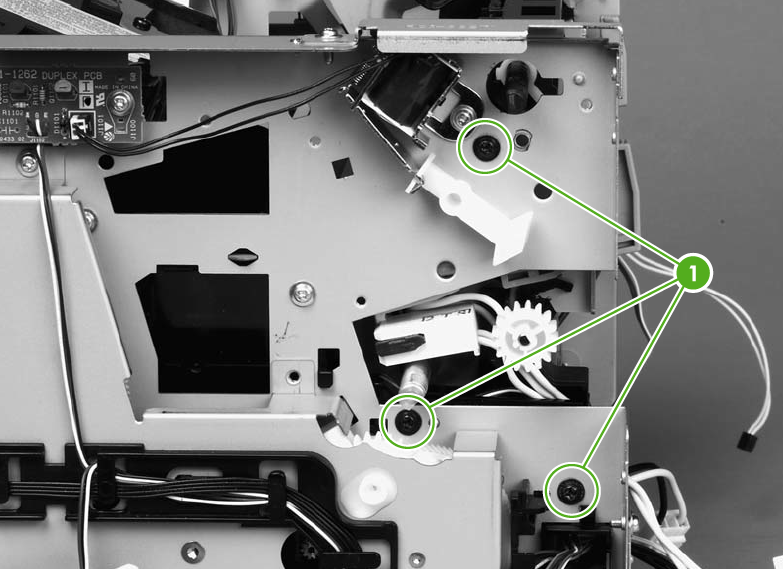
Remove three screws (1) on the right side of the printer.
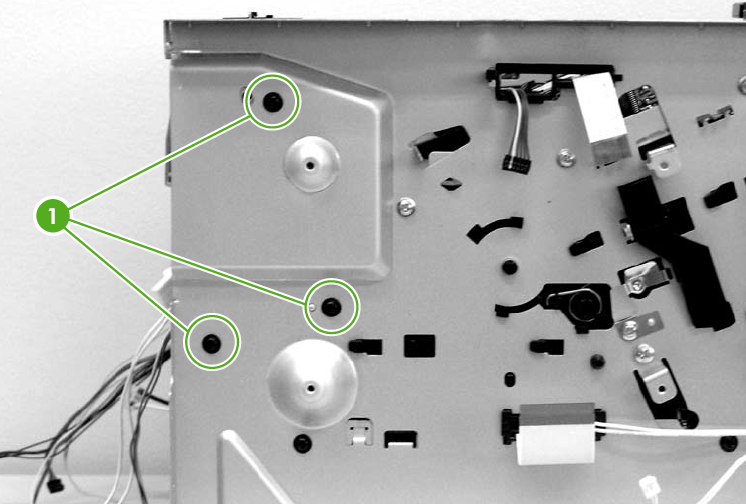
Remove three screws (1) from the left side of the printer.
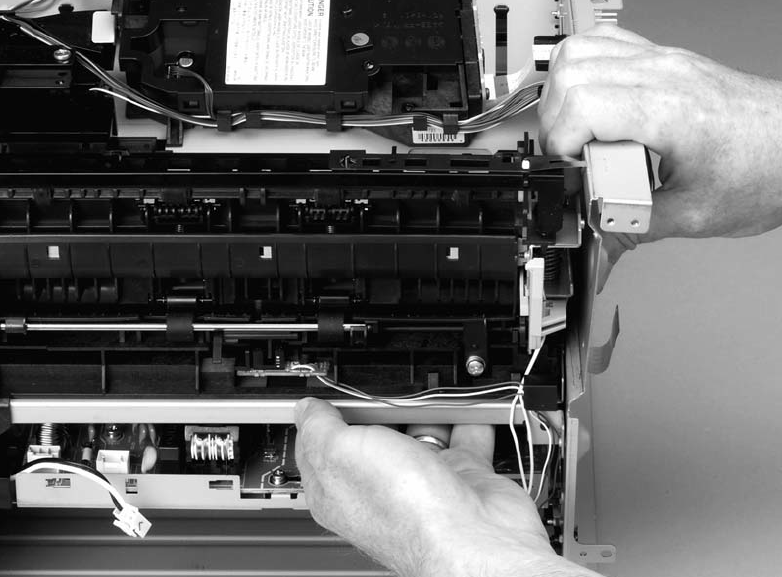
At the left side of the printer, pull the printer chassis from the top to spread the printer frame andrelease the fuser from the frame.
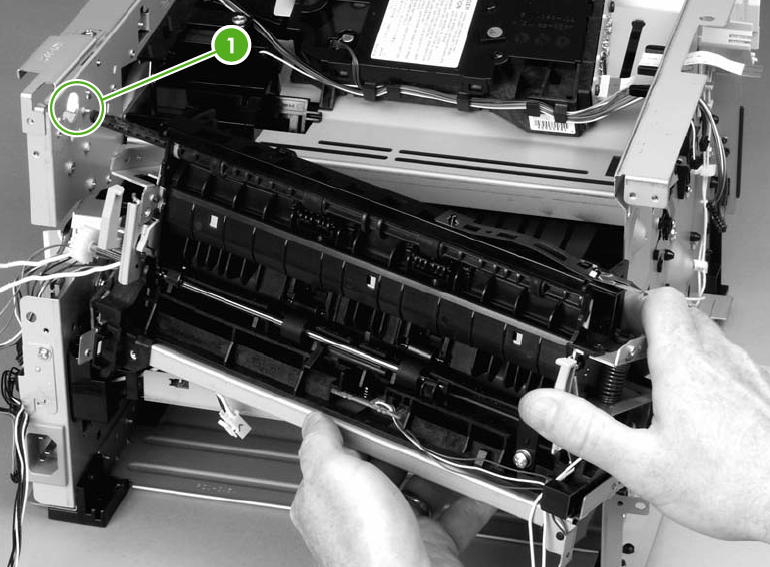
Pull the fuser out of the printer at an angle so that the delivery roller shaft clears the hole (1) inthe chassis.