
Easy to follow installation guide for HPM 2727 HPP 2015 RM1-4247-000 Fuser Assembly (110V). Several parts must be removed before you can remove the fuser. The following parts are included in this section about removing the fuser: Fan, Duplex-drive gears/face-down gears and Duplex solenoid.
Compatible models
Detailed Step by Step Instruction
<div class="subtitle">Fan</div>
Remove all covers.
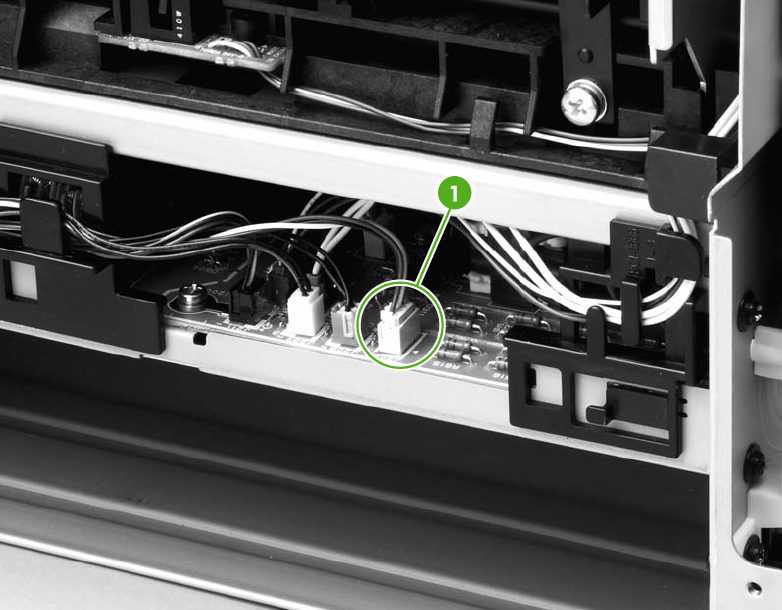
Disconnect the fan cable (1) at the ECU.
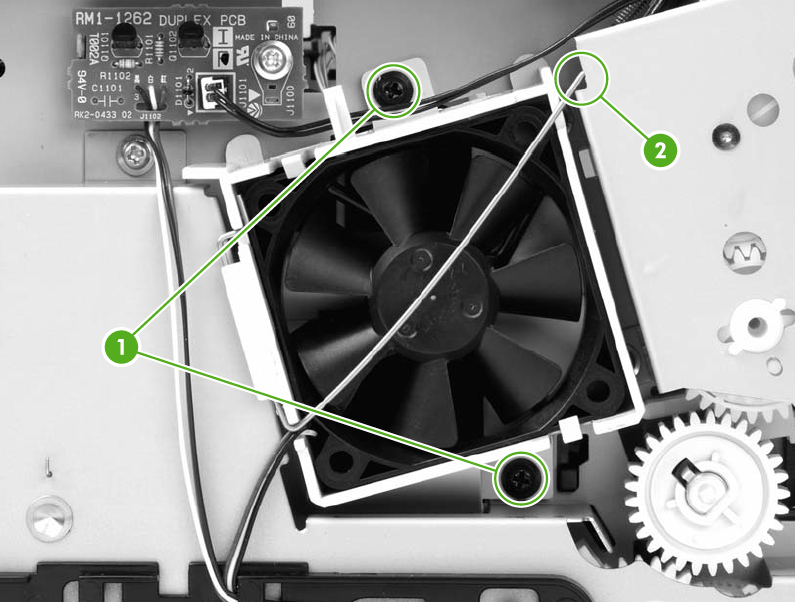
Unthread the fan wires from the retaining clips.
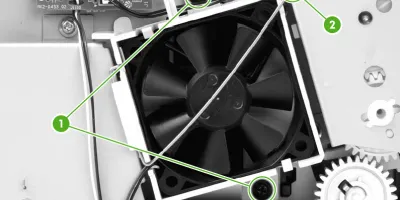
Remove two screws (1).
Unhook the fan clip (2) and then lift the fan off the printer.
<div class="subtitle">Duplex-drive gears (HP LaserJet P2015d, P2015dn, and P2015xprinters only) </div>
Remove all covers.
Remove the fan.
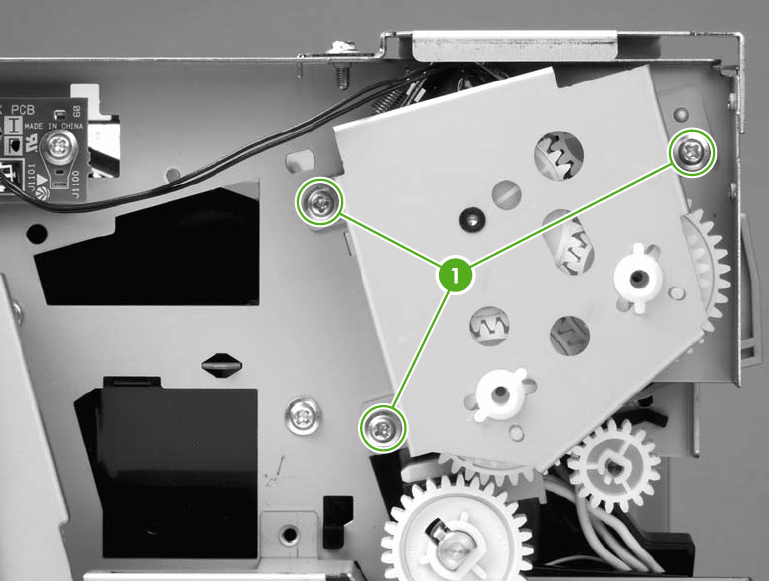
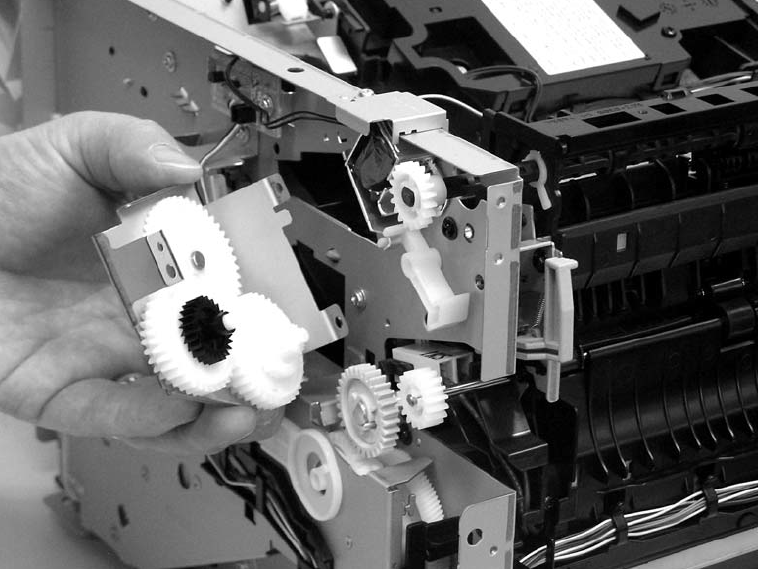
Remove three screws (1).
Lift the assembly away from the printer. The gears are not attached to the gear plate. Carefully remove the gear plateand the gears together to prevent them from falling out of the assembly.
<div class="subtitle">Duplex solenoid (HP LaserJet P2015d, P2015dn, and P2015xprinters only)</div>
Remove all covers.
Remove the fan.
Remove the duplex-drive gears.
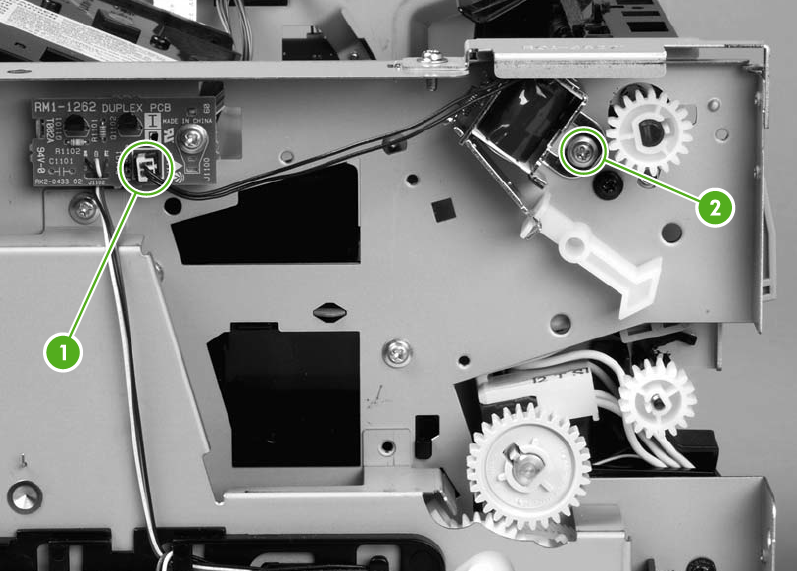
Disconnect one cable (1) at the duplex-drive PCA.
Remove one screw (2), and then lift the solenoid off the printer chassis.