
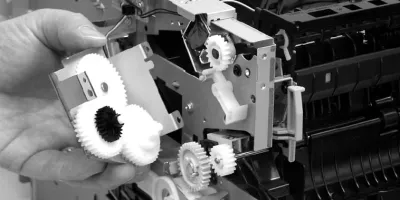
Easy to follow installation guide for HPM 2727 HPP 2015 RM1-4247-000 Fuser Assembly (110V). This instruction is about the Covers:
- Left-side cover
- Right-side cover
- Back cover
- Duplexer tray
- Top cover
Compatible models
Detailed Step by Step Instruction
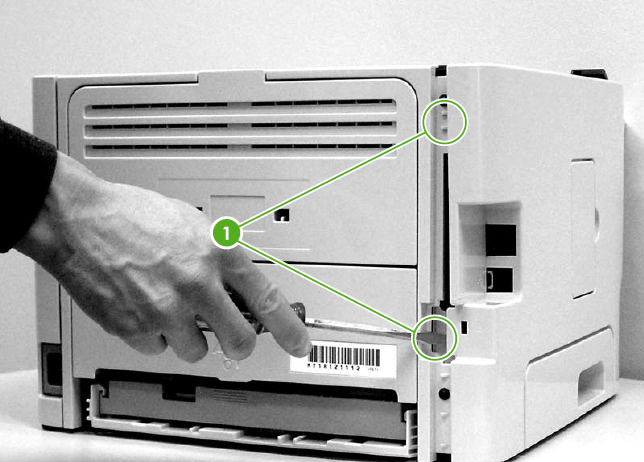
<div class="subtitle">Left-side cover</div>
Open the print-cartridge door.
At the back of the printer, use a flat-blade screwdriver to release two tabs (1).
Lift the cover away from the printer.
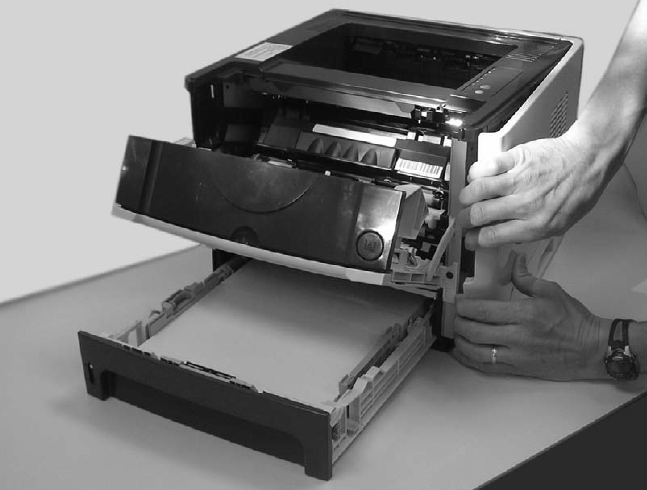
<div class="subtitle">Right Side Cover</div>
Open the print-cartridge door.
Remove tray 2.
At the front of the printer, pop the front edge of the right-side cover over the two retaining tabs.
Lift the cover away from the printer.
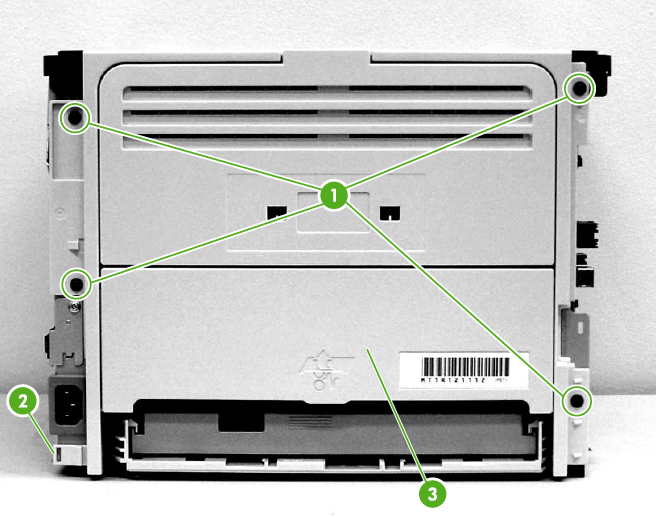
<div class="subtitle">Back cover</div>
Remove tray 2.
Remove the left-side cover and the right-side cover.
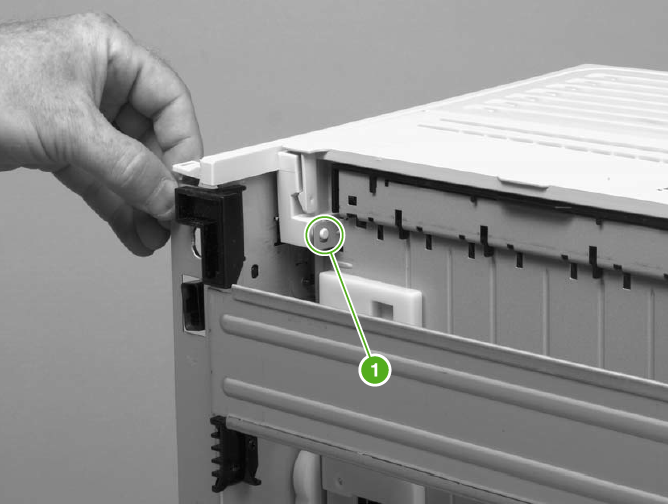
Remove four screws (1).
Tip the printer so that it rests on its front.
Release the tab (2) at the back of the printer on the right side.
Open the duplex access door (3).
Slide the cover toward the right side of the printer to clear the tab (1) on the duplexer tray(duplex models only).
Lift the cover straight up and away from the printer.