
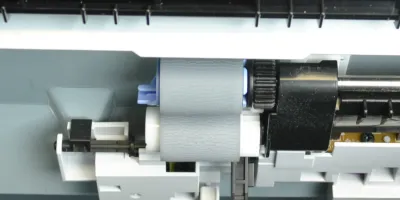
<p>Easy to follow installation guide for RM1-0036-000 Pickup Roller</p>
Compatible models
Color LaserJet 4700
Color LaserJet 4730 MFP
Color LaserJet CM4730 MFP
Color LaserJet CP4005
LaserJet 4200
LaserJet 4250
LaserJet 4300
LaserJet 4345 MFP
LaserJet 4350
LaserJet 5200
LaserJet Enterprise M4555 MFP
LaserJet Enterprise M601
LaserJet Enterprise M602
LaserJet Enterprise M603
LaserJet Enterprise M604
LaserJet Enterprise M605
LaserJet Enterprise M606
LaserJet Enterprise M630 MFP
LaserJet M5025 MFP
LaserJet M5035 MFP
LaserJet P4014
LaserJet P4015
LaserJet P4515
LaserJet Pro M435 MFP
LaserJet Pro M701
LaserJet Pro M706
Detailed Step by Step Instruction
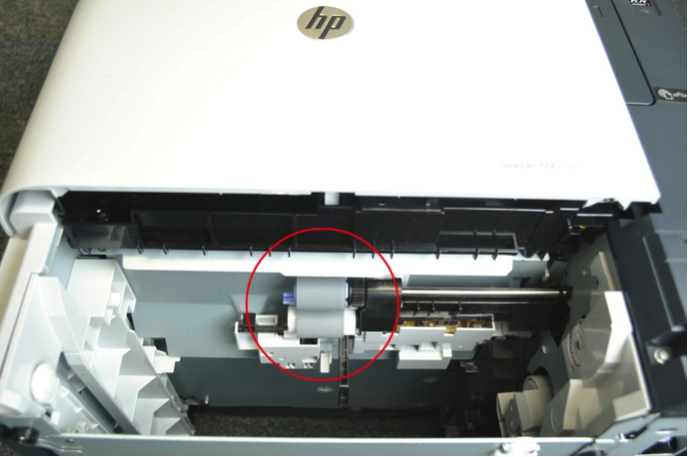
<p>Look up into the paper tray cavity in the printer, there are two rollers located in the cavity.</p>
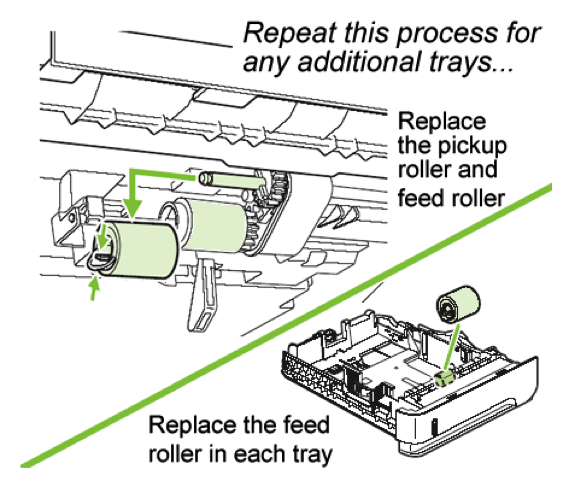
<p>Remove them by pinching the blue tabs on the roller and sliding them off their shafts.</p>
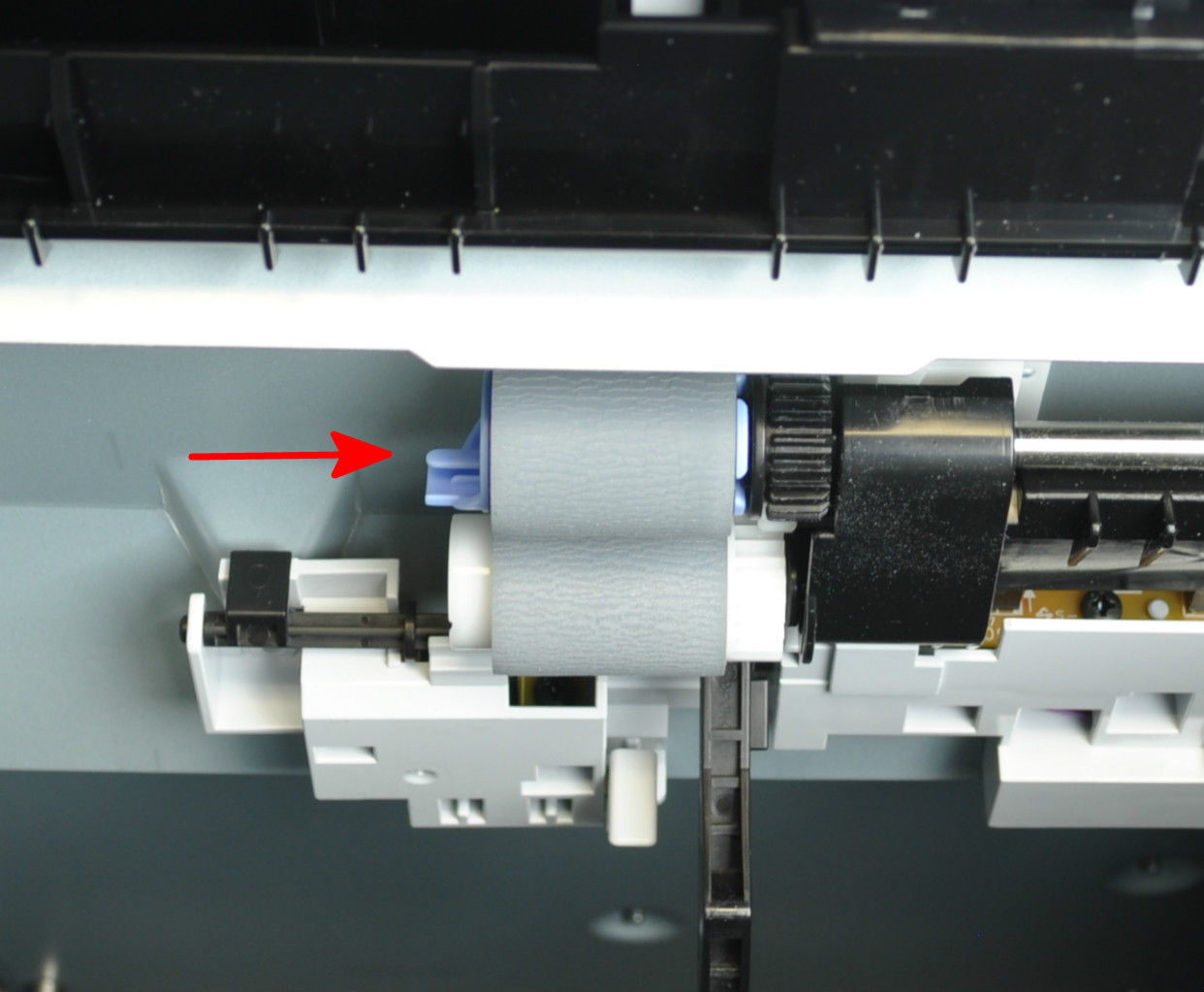
<p>When replacing the feed and pick up rollers, make sure the blue tab locks on the shaft.</p>