
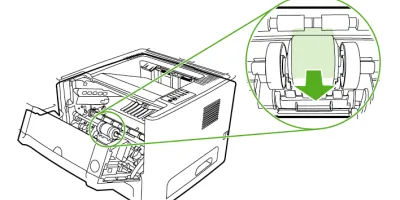
Easy to follow installation guide for RL1-1525-000 Pickup Roller, Tray 1
Compatible models
Detailed Step by Step Instruction
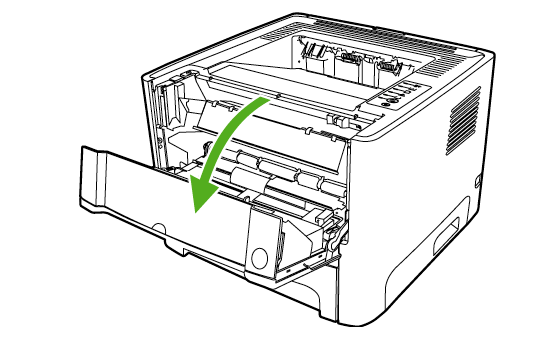
Press the print-cartridge-door button to open the print-cartridge door.
Remove the print cartridge.After removing the print cartridge, only handle it on the ends.
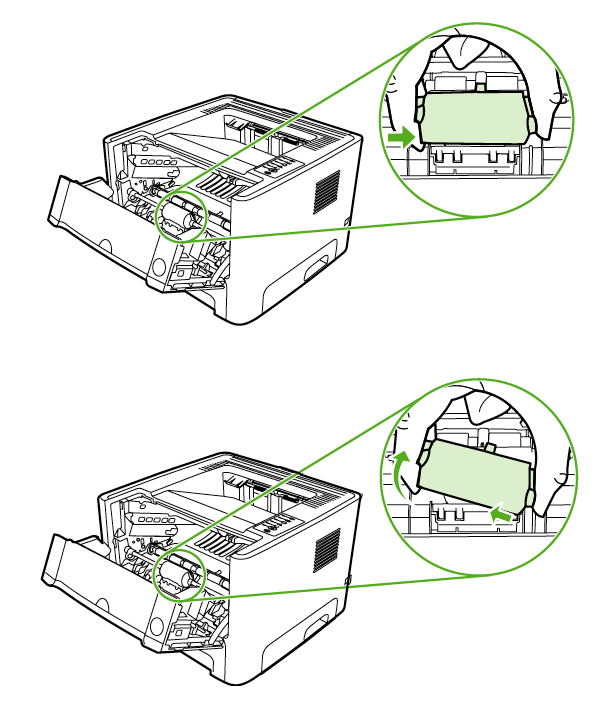
Grasping the pickup-roller cover with thumb and forefinger, squeeze the left side of the pickup-roller cover to release the left retaining tab, and then slide the cover to the left and up.
CAUTIONFailure to slide the cover to the left when removing it can cause the rightretaining tab to break.
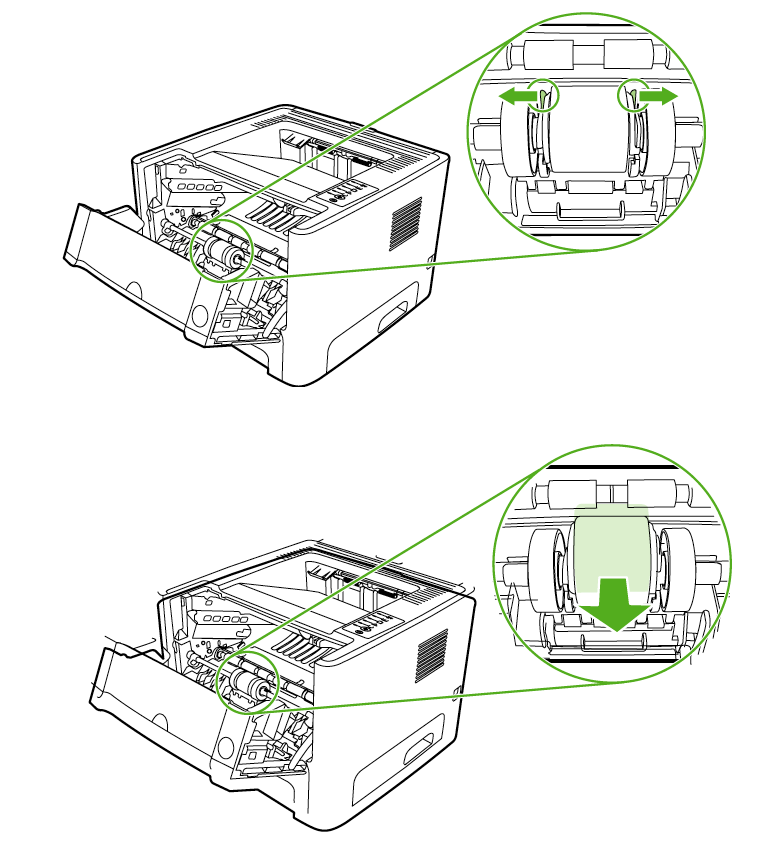
Press the two black retaining tabs outward until the pickup roller is released from its seat.
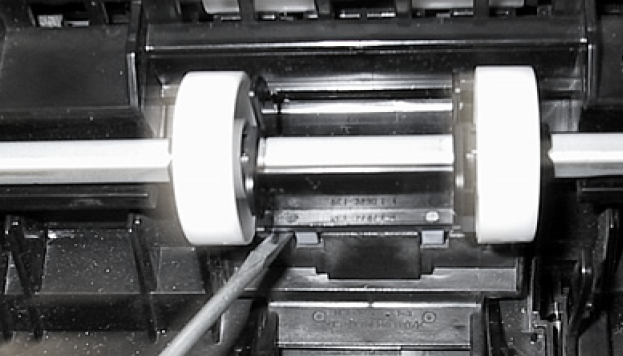
Insert a flatblade screwdriver under the old separation pad and pry up to remove it.
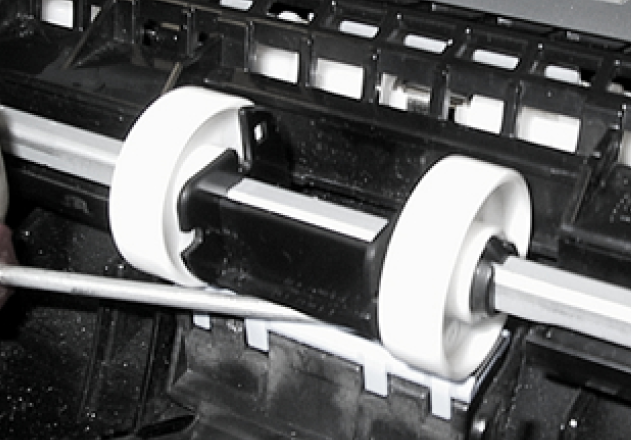
Install the new separation pad. Insert as shown in picture below, then use the flatblade of your7.screwdriver (or your fingers) to firmly press down and lock both sides of the separation pad.
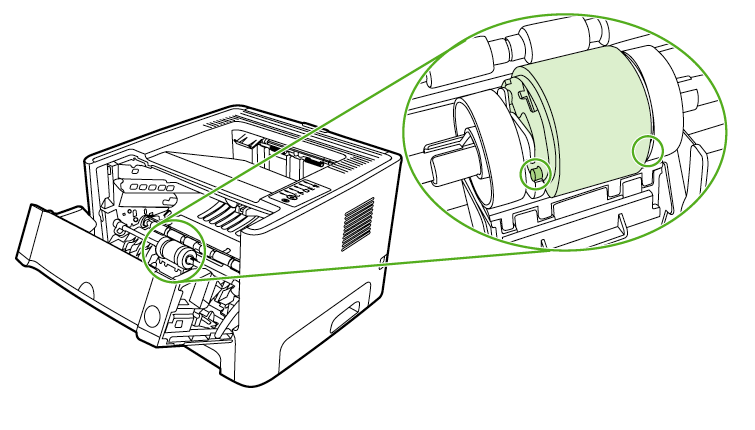
Line up the black retaining tabs in the printer with the grooves in the new pickup roller, and thenpress the pickup roller into the pickup-roller seat until the retaining tabs click.
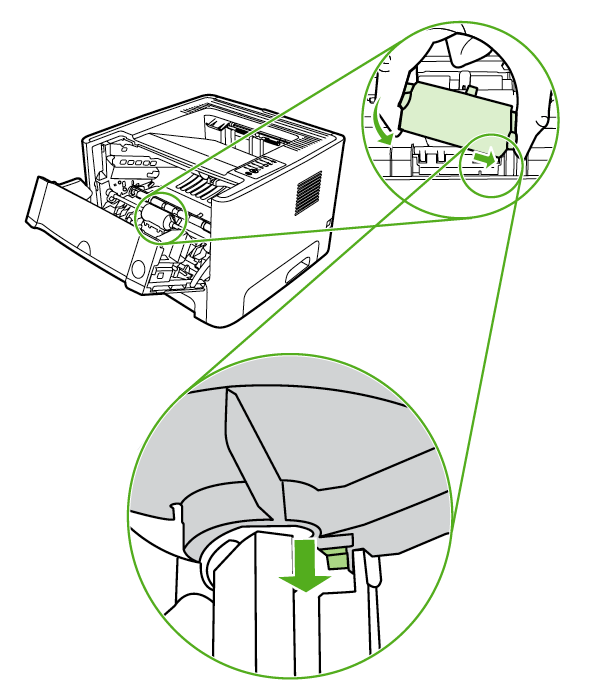
Grasping the pickup-roller cover with thumb and forefinger, insert the pickup-roller cover's rightretaining tab into the retaining slot.
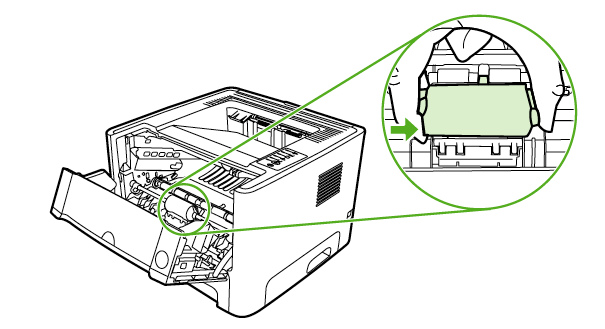
Squeeze the left side of the pickup-roller cover and insert the left retaining tab in the retainingslot.
Close the print-cartridge door.