
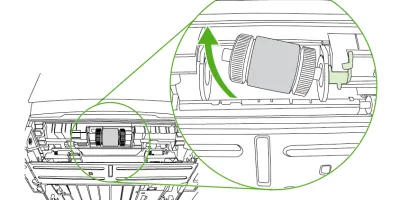
<p>Easy to follow installation guide for RL1-0540-000 Pickup Roller, Tray 2</p>
Compatible models
Detailed Step by Step Instruction
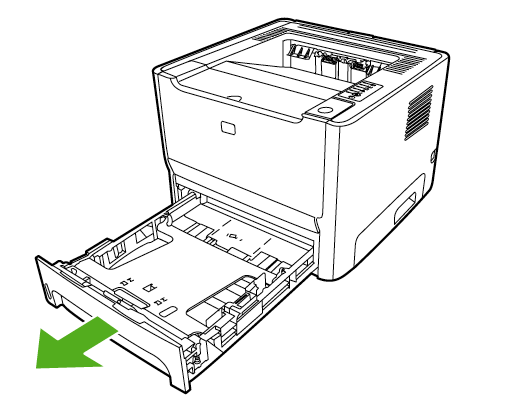
Remove tray 2.
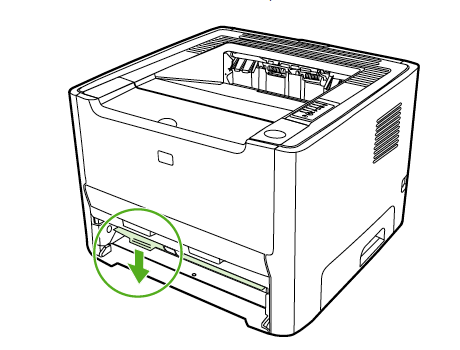
Open the automatic two-sided path door on the front of the printer (HP LaserJet P2015d,HP LaserJet P2015dn, and HP LaserJet P2015x printers only).
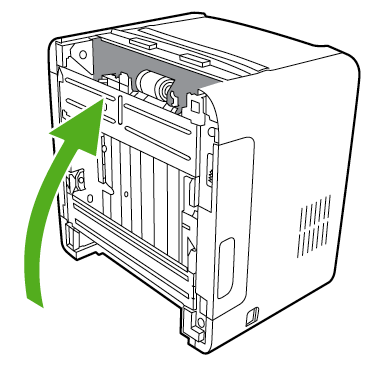
Place the printer on the work surface with the front of the printer facing up.
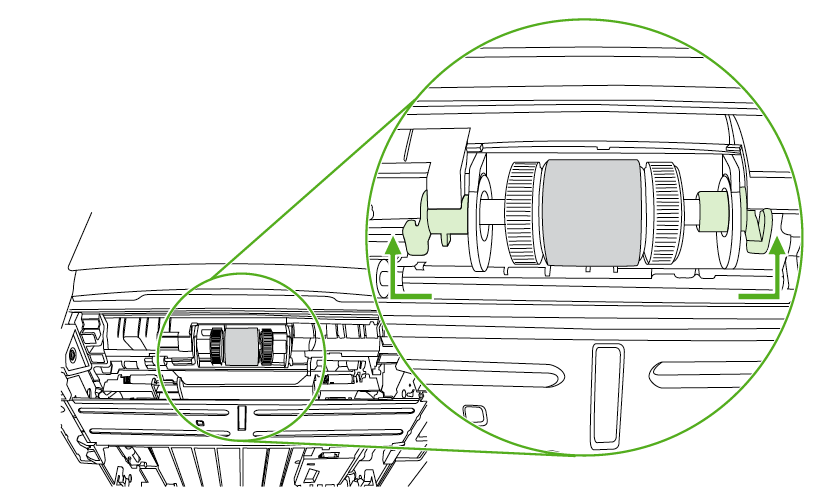
Pull the white tabs outward, and rotate the tabs up.
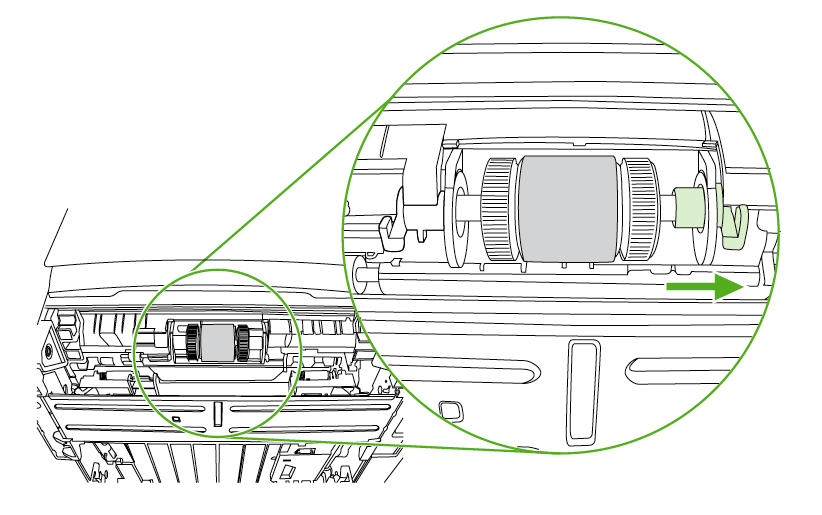
Slide the right tab to the right, and leave the tab in this position throughout the procedure.
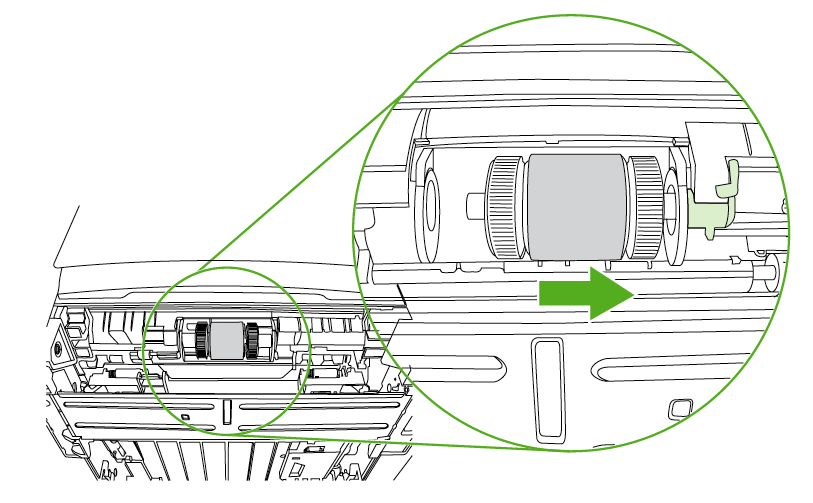
Slide the pickup roller assembly to the right, and remove the left end cap.
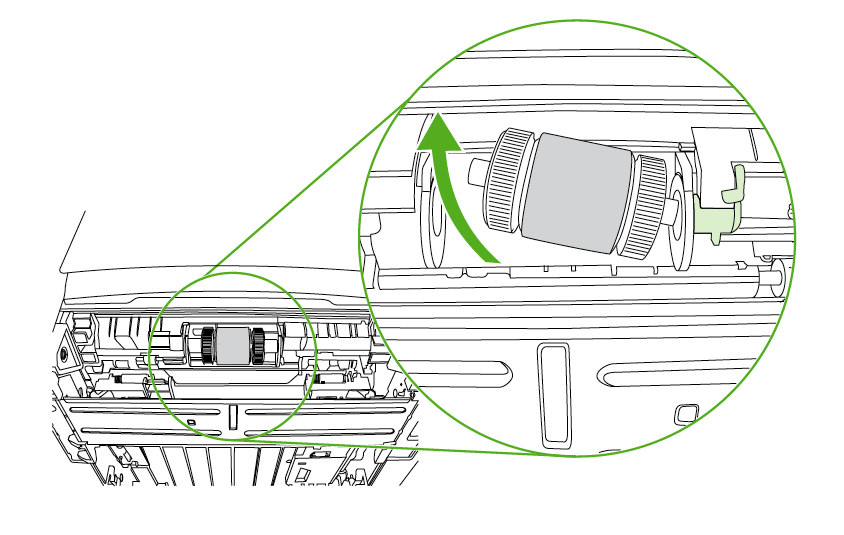
Remove the old pickup roller.
Save both idler rollers that sit on either side of the pickup roller; transfer to new roller.
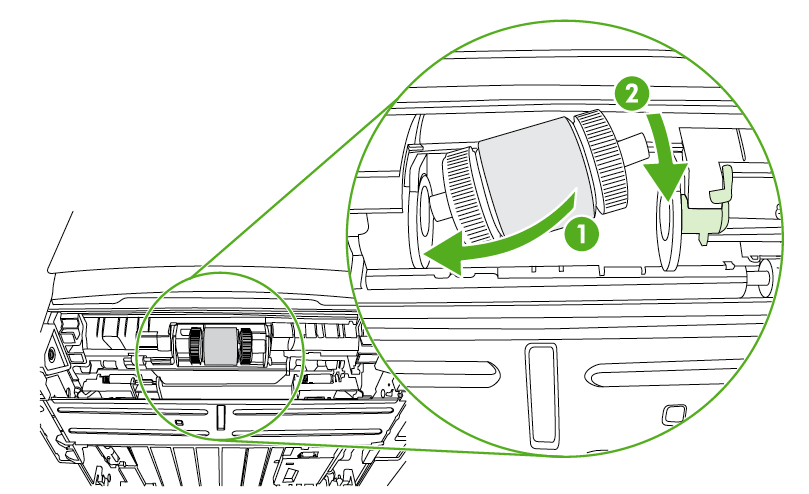
Insert the left side of the new pickup roller into the left slot (1), and insert the right side (the sidethat has the notches in the shaft) into the right slot (2).
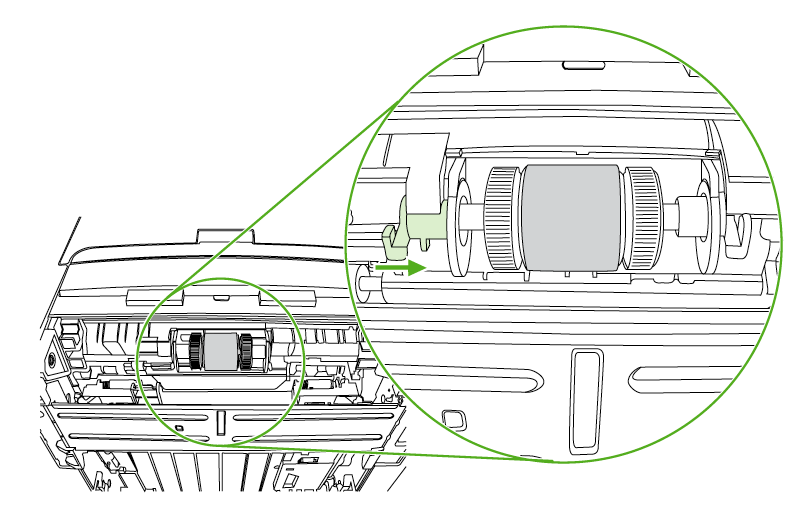
Place the end cap over the shaft on the left side, push the end cap to the right, and rotate thetab downward into position.
Rotate the shaft until the notches engage and the shaft clicks into place.
Push the right tab to the left, and rotate the tab downward into position.