
<p>Easy to follow installation guide for <a href="https://secure.partsmart-corp.com/kit-and-fuser-assembly/hp-laserjet-hp… fuser</a>, used in <a href="https://secure.partsmart-corp.com/kit-and-fuser-assembly/hp-laserjet-hp… maintenance kit</a>. C4118-67902 maintenance kit is specifically designed for HP LaserJet 4000, 4050, 4100 printers.</p>
Compatible models
LaserJet 4000
LaserJet 4050
Detailed Step by Step Instruction
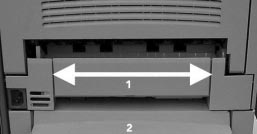
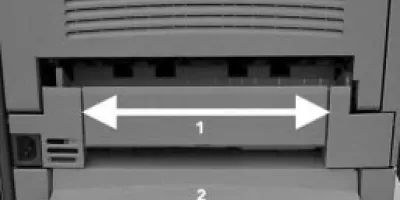
For the LaserJet 4000/4050, remove two small panels on the rear of the printer (arrow 1) and the rear tray cover (number 2). The small panels and tray cover are one piece on the LaserJet 4100.
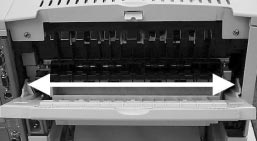
Open and remove rear tray by carefully bending hinges to clear pins (white arrow).
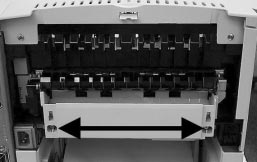
Loosen two captive screws (black arrow, LJ 4000 only) or blue lock levers (LJ 4100 only). Slide fuser out of rear of printer.