
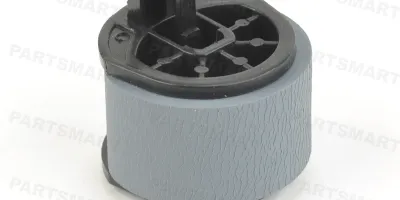
Easy to follow installation guide for RB1-2127-000 Pickup Roller, MP Tray
Compatible models
LaserJet 4
LaserJet 4+
Detailed Step by Step Instruction
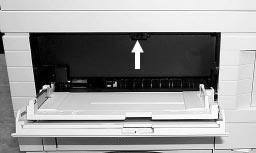
Open MP tray.
Remove inner black cover by pressing lock tabs at top middle (see arrow).
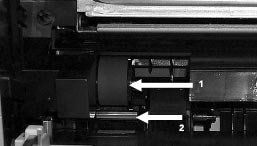
Remove pickup roller by pinching lock tab (arrow 1).
Using a flat screwdriver, gently pry up under separation pad to remove (arrow 2).
Install new separation pad (note keyed slots).
Install new roller.
Reinstall cover.