
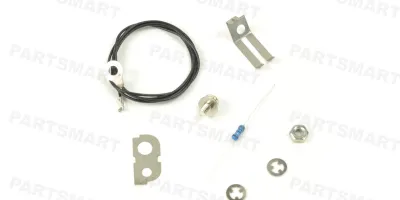
Compatible models
Color LaserJet CM3530 MFP
Color LaserJet CP3525
Color LaserJet Enterprise CP4025
Detailed Step by Step Instruction
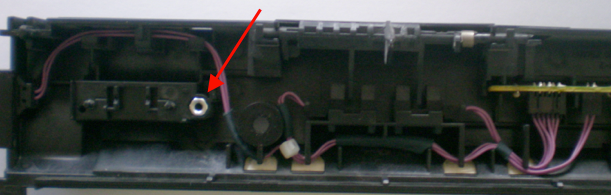
Insert nut into the seating.
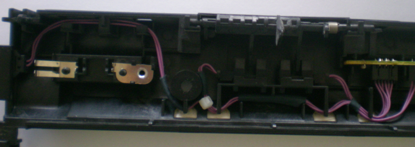
Place the 2-hole grounding plate on top of the nut and align the positioning holes; while the 1-hole grounding plate is placed on the left side.
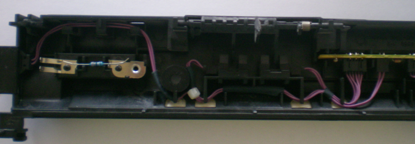
Place the resistor along the opening.
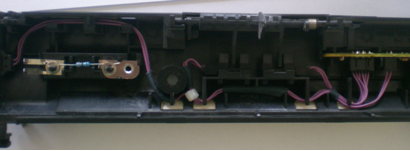
Fasten a clip on each fixing nodes by pushing it to the bottom to fix the plates in place.
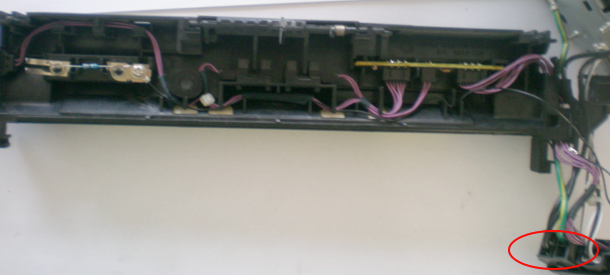
Connecting the wire: The end with O ring is screwed to the nut. Route the wire along with the pink wires.
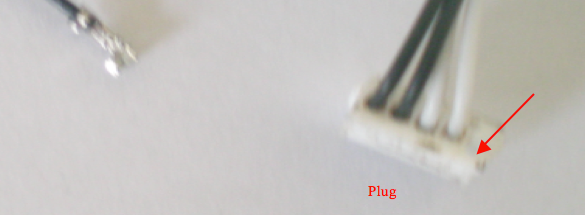
The other end of the wire is inserted (in the direction of the red arrow) into the white plug as shown in the picture.