
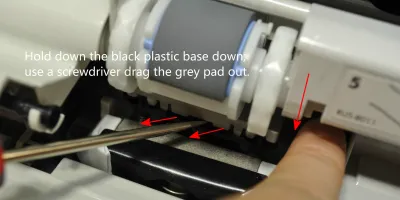
Easy to follow installation guide for RL1-0007-000 Separation Pad, used in Q2429A maintenance kit. Q2429A maintenance kit is specifically designed for HP LaserJet 4200 printers.
Compatible models
Detailed Step by Step Instruction
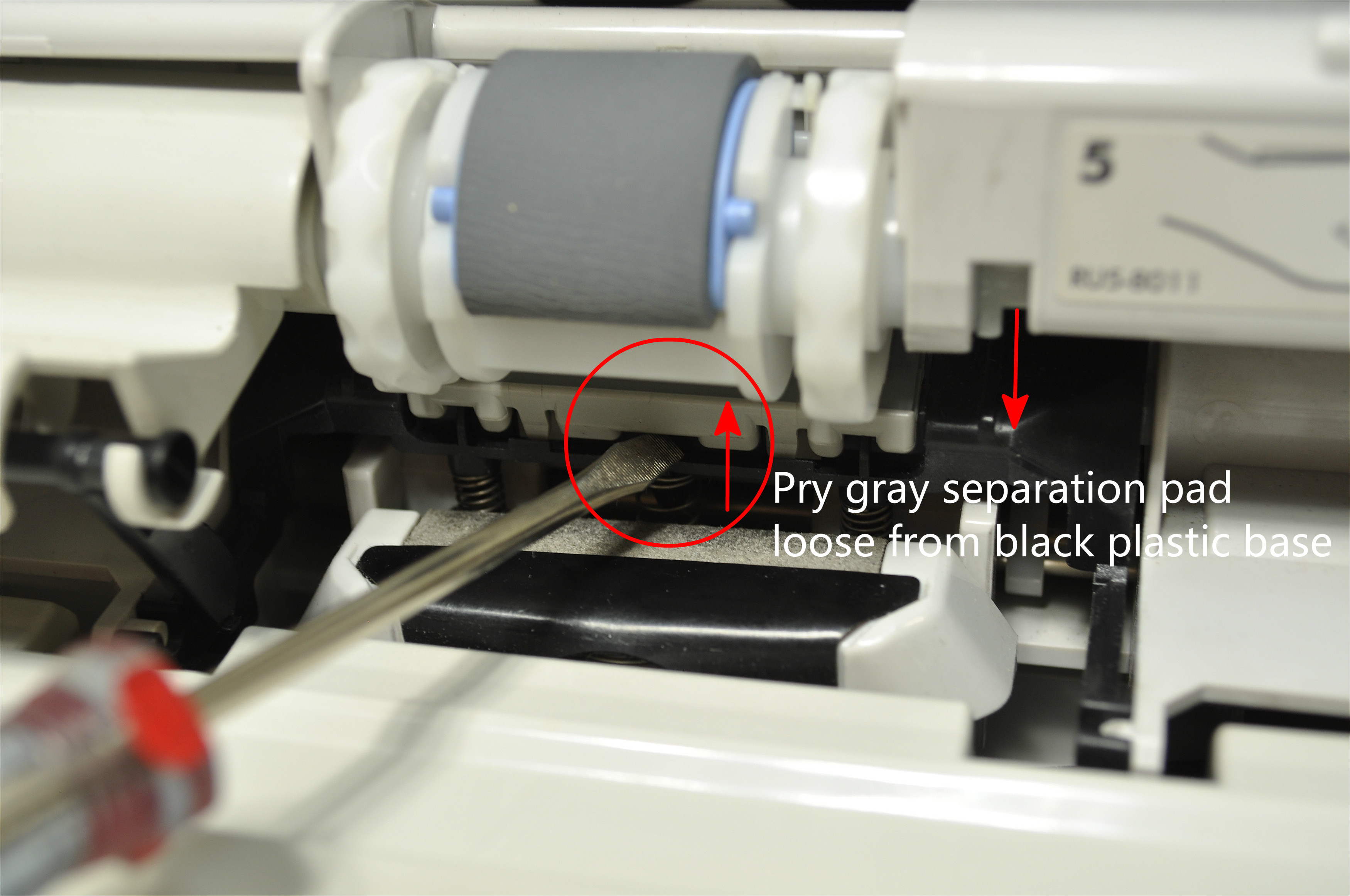
Use a flathead screwdriver to pry the gray separation pad up and loose from its black plastic base.
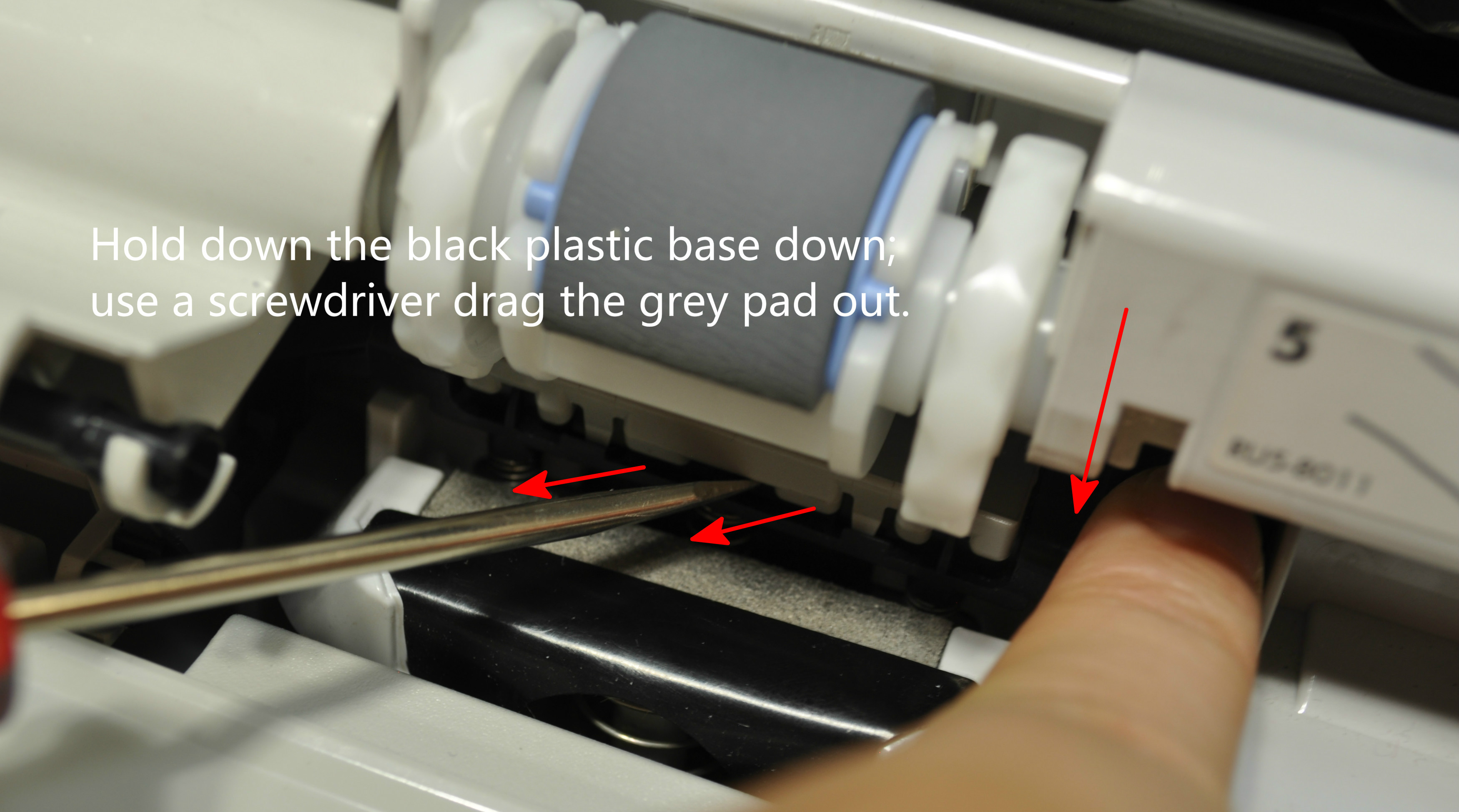
After the separation pad is loose, use your fingers to push the black plastic base down and drag the grey pad out.
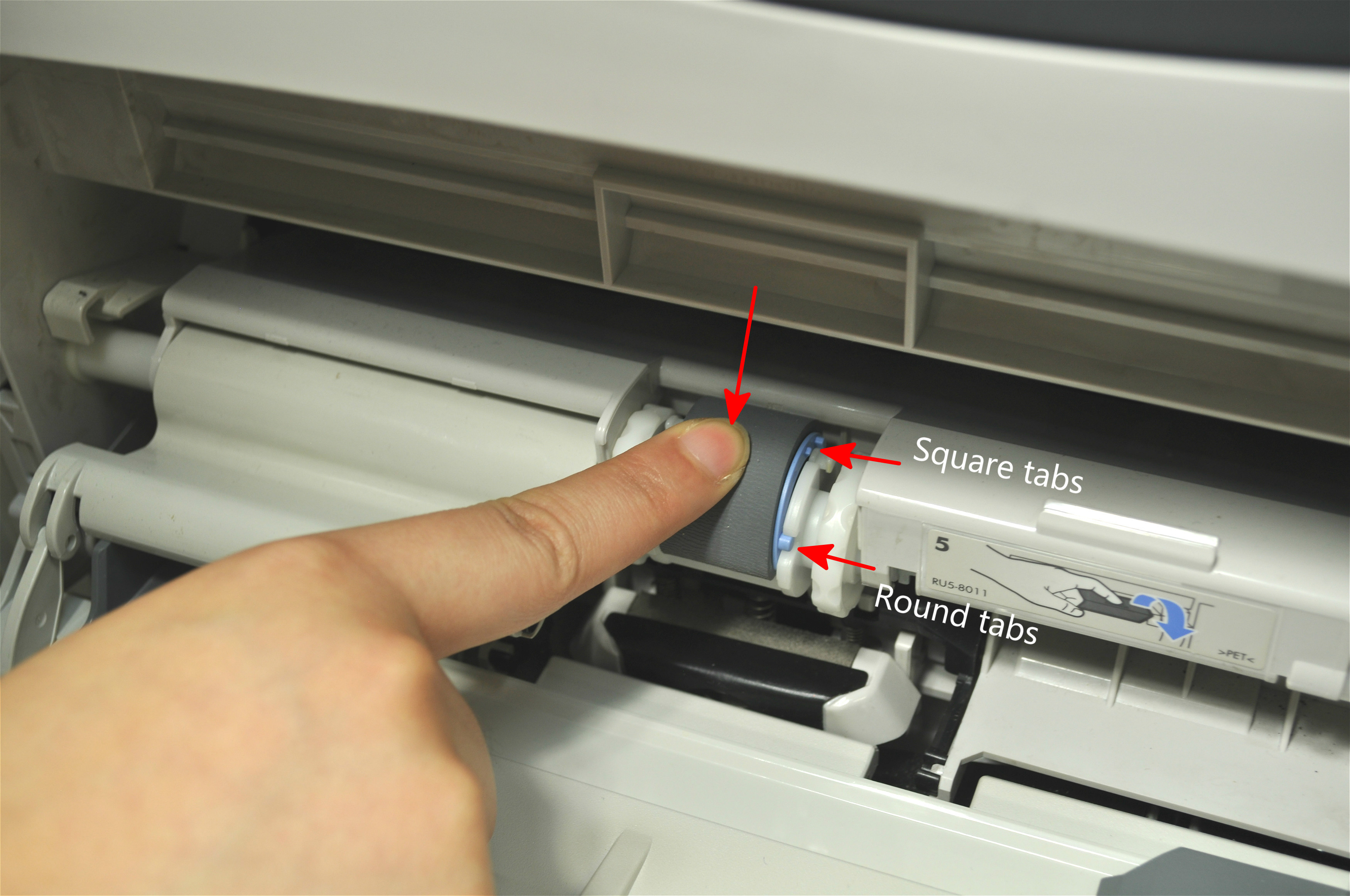
When you insert the new replacement separation pad, the grey "teeth" on the pad must point downward and towards you. Then use your fingers to press down firmly on the top of the pad to snap it in place. You will hear a clicking sound as the pad locks in place.